

Unplanned downtime on the production floor costs manufacturers more than most people realize, and a failed Programmable Logic Controller is one of the fastest ways to bring an entire line to a halt. Professional plc repair services exist to solve this problem quickly and affordably, and Flexa Systems has helped facilities across the country recover from PLC failures without the capital expense of new hardware. The core argument is simple: repairing is almost always the smarter first move, and knowing how to navigate the process separates teams that recover in hours from teams that lose days.
Repair vs. Replacement: How the Numbers Compare
Replacing a failed controller sounds straightforward until you check lead times. Many Programmable Logic Controllers, especially legacy models from Rockwell, Siemens, or Mitsubishi, carry weeks- or months-long delivery windows when ordered new. A repair-first approach sidesteps that entirely.
The Financial Case: Capital Expense vs. Repair Cost
Repair costs a fraction of replacement. Flexa Systems offers savings of up to 70% compared to purchasing new equipment. The gap widens when you account for indirect costs: a new controller requires reprogramming, reconfiguration, integration testing, and potentially firmware migration. A repaired unit returns with its original program intact, firmware validated, and I/O mapping unchanged. The labor savings alone can exceed the cost of the repair itself.
Environmental Impact of Repairing vs. Replacing Industrial Electronics
Manufacturing a new PLC requires rare earth metals, circuit board production, and global shipping logistics. Every repaired unit that returns to service is one less unit entering the waste stream. According to the U.S. Environmental Protection Agency's guidance on electronics stewardship, industrial electronics represent a significant and growing share of e-waste. For facilities with ESG commitments or environmental reporting obligations, repair is a defensible, documentable choice.
Understanding PLC Repair Cost: What You Should Expect to Pay
PLC repair cost varies based on fault complexity, brand and model, and turnaround urgency. Understanding the factors that drive pricing lets you evaluate quotes accurately.
Factors That Affect Repair Pricing
Several variables consistently influence cost:
Component complexity: A power supply fault is simpler than a failed processor module with corrupted firmware.
Brand and parts availability: Legacy Siemens S5 or Allen-Bradley SLC 500 modules may require sourcing discontinued components.
Extent of damage: Power surges, moisture ingress, or heat events require more extensive component-level work.
Turnaround tier: Standard service costs less than rush or emergency response.
Warranty included: Flexa Systems provides a 2-year warranty on all repairs, among the strongest in the industry.
Free diagnostics, which Flexa Systems offers, eliminate the risk of paying for an evaluation that leads nowhere. Always confirm whether the evaluation fee is waived if you proceed with repair.
Rush Repair and Emergency Response Pricing
Emergency response carries a premium that is almost always worth it when plant uptime is at stake. The cost of one additional day of lost production nearly always exceeds the rush surcharge. When requesting rush service, be specific about your deadline, a 24-hour and a 72-hour turnaround are priced differently. Providing the fault description, model number, and error codes upfront accelerates diagnostics and helps the repair center commit to a realistic timeline.
What a Component-Level PLC Repair Involves
Professional plc repair services go well beyond swapping a burned component. A qualified automation service center performs a structured process that addresses both the symptom and the underlying cause.
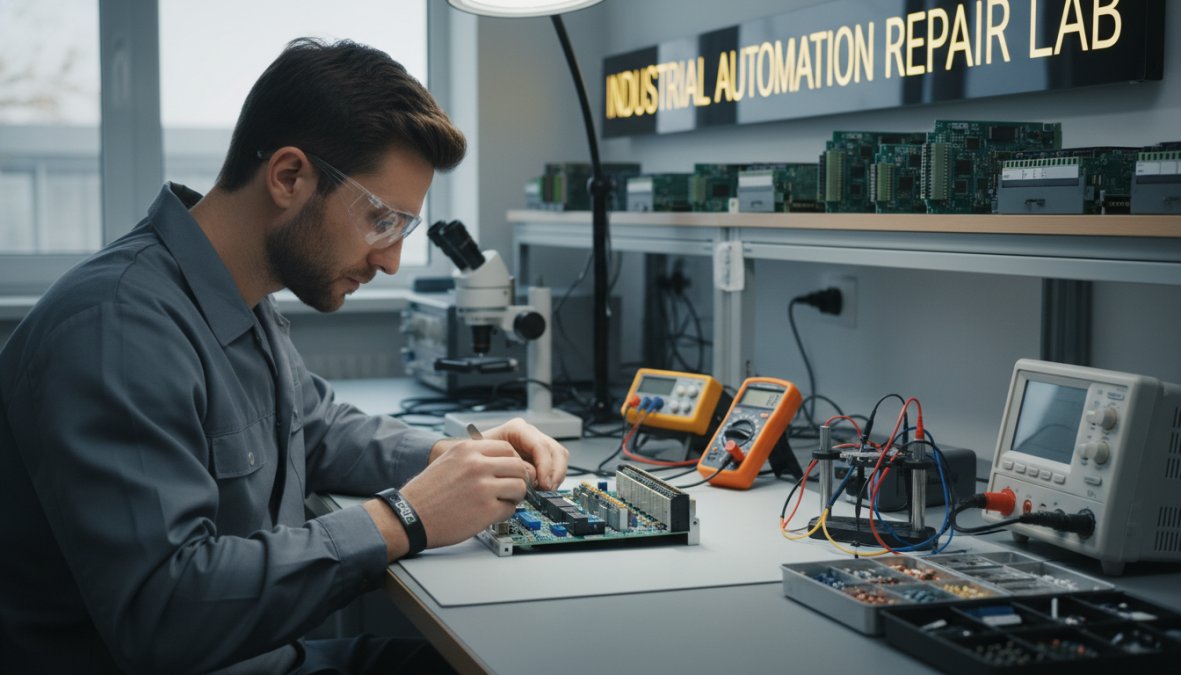
Component-Level Diagnostics and Refurbishing
Component-level diagnostics means individual capacitors, transistors, optocouplers, and power regulation circuits are tested and replaced as needed, more thorough than swapping modules and more cost-effective than replacing entire racks. Refurbishing typically includes ultrasonic cleaning for contaminated boards, thermal inspection, and load testing under conditions that simulate real operating environments.
Program Back-Ups and Firmware Validation
A responsible repair center backs up the existing PLC program before any work begins, protecting against ladder logic loss if a corrupted processor wipes memory during repair. Firmware validation ensures the unit returns running the correct version for your control system, mismatched firmware can cause subtle communication faults that are difficult to trace.
In-Service Warranty and Post-Repair Support
An in-service warranty is the clearest signal of a repair center's confidence in its work. Flexa Systems provides a 2-year warranty on repairs, covering the unit during actual production use, not just a bench test window. Post-repair documentation should record what was found, what was replaced, and what was tested, this becomes part of your maintenance history and informs future lifecycle decisions.
Which PLC Families Are Repairable
A quality repair provider handles the full range of industrial automation hardware. Flexa Systems supports major brands including Allen-Bradley, Siemens, Schneider Electric, and Mitsubishi, among others.
Common Failure Modes by Brand
Rockwell / Allen-Bradley: SLC 500 and MicroLogix series commonly experience battery failures leading to program loss and capacitor degradation in older 1747 power supplies. ControlLogix systems more frequently present with backplane communication faults and processor failures from firmware corruption.
Siemens: S7-300 and S7-400 series are prone to CPU module faults from EEPROM wear in high-cycle applications, plus power supply failures from capacitor aging.
Schneider Electric: Modicon M340 and Quantum series commonly see I/O module failures from transient voltage events and communication module failures on Ethernet and Profibus cards.
Mitsubishi: MELSEC Q and FX series tend to develop battery-related faults and RS-232 communication port failures. The FX series is particularly well-supported in the repair market due to its widespread use in smaller machine control applications.
Knowing the likely failure mode for your hardware lets you provide better information when requesting a quote, speeding up the diagnostic phase.
How to Test a PLC Module: DIY Diagnostic Checklist
Running a basic diagnostic before shipping a unit saves time and, in some cases, reveals a fault that can be resolved on-site. This checklist is designed for maintenance engineers with standard tools and cabinet access.
Step-by-Step Pre-Shipment Troubleshooting Steps
Work through these steps in order before concluding the module needs off-site repair:
Check power supply voltage. Confirm input voltage matches the rated specification. Under-voltage is a common cause of processor faults that clears when power is restored correctly.
Inspect for visible damage. Look for burned components, swollen capacitors, corrosion on connector pins, or moisture ingress. Document with photos.
Review fault codes. Record all active and historical fault codes from the CPU display or programming software.
Check communication cables and connectors. Loose or corroded backplane connectors cause intermittent faults that mimic processor failures. Reseat all modules and cables.
Isolate the suspect module. Swap the suspect module to confirm the fault follows the hardware and not the slot or wiring.
Back up the program. Before removing any module, export the current program to a safe location. This is non-negotiable.
Document operating conditions. Note ambient temperature, recent system changes, and any events (power outages, lightning, process upsets) that preceded the fault.
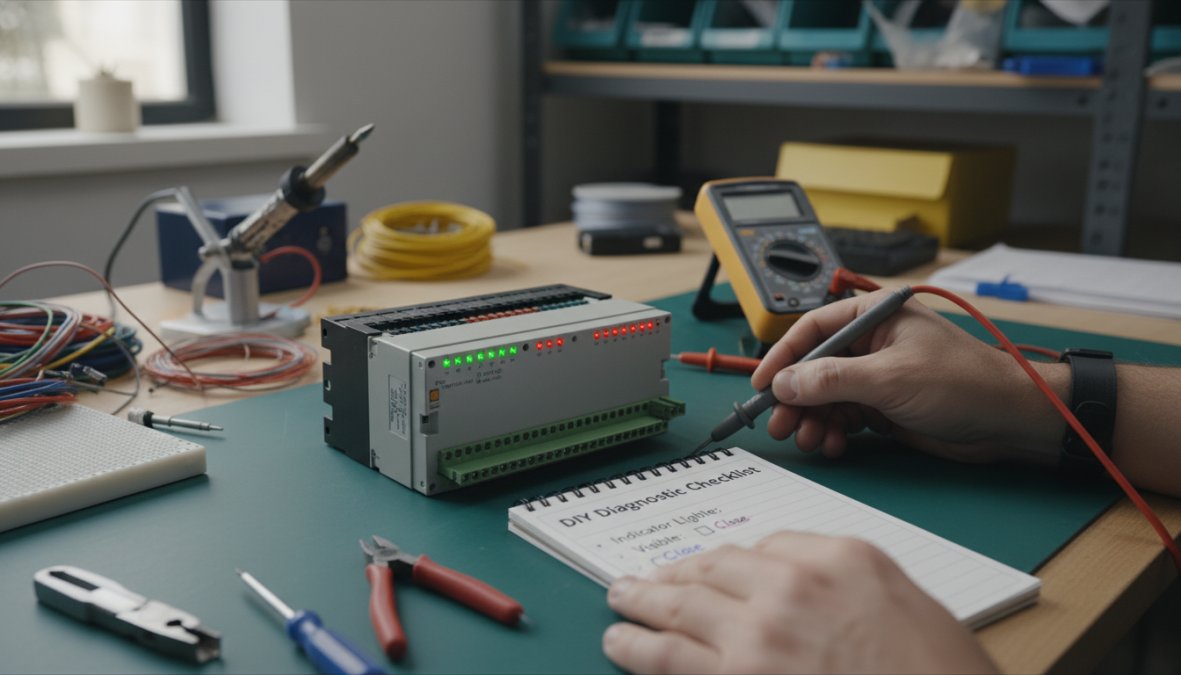
When DIY Diagnostics Are Not Enough
If the fault code points to a processor or memory failure, if the unit shows visible burn damage, or if replacing the power supply did not resolve the fault, the module needs component-level attention that requires lab equipment. Completing the checklist and documenting findings before shipping speeds up the repair significantly, the repair center reaches diagnosis faster and you get the unit back sooner.
PLC Maintenance Best Practices to Prevent Future Failures
Reactive repair is sometimes unavoidable. Proactive maintenance reduces how often you need it. The facilities with the best uptime records are not the ones with the fastest repair vendors, they are the ones that fail less often.
Legacy vs. Modern PLC Lifecycle Management
Legacy controllers from the 1990s and early 2000s are often past their manufacturer-supported lifecycle: spare parts are scarce, firmware updates are no longer issued, and original technical support is gone. The right strategy is not replacement on a fixed schedule but a combination of proactive refurbishing, program back-ups stored in multiple locations, and a defined retrofit trigger point.
According to guidance from the International Society of Automation on industrial control system lifecycle management, facilities should define a lifecycle stage for each controller, active support, limited support, or end-of-life, with a different maintenance and spares strategy for each. Modern PLCs, by contrast, benefit from regular firmware updates, preventive maintenance schedules, and condition monitoring that flags anomalies before a fault occurs.
On-Site vs. Off-Site Repair Options
Off-site repair at a dedicated automation service center is the standard approach: the unit ships, undergoes component-level diagnostics, and returns with documentation and a warranty. On-site support makes sense when the system cannot be shut down long enough to remove and ship a module, when the fault is suspected to be in the installation rather than the hardware, or when recommissioning requires specialist knowledge of the specific application. Flexa Systems serves clients nationwide, so on-site support is available across a wide geography, worth discussing when requesting a quote if recommissioning is complex.
Where to Send a PLC for Repair
Requesting a plc repair services quote from Flexa Systems is straightforward, designed to minimize time between first contact and a confirmed repair plan.
Prepare the following before reaching out:
Make, model, and series number of the unit (found on the nameplate)
Description of the fault: what the unit is doing, fault codes displayed, and when the problem started
Relevant history: previous repairs, recent system changes, environmental events
Required turnaround: standard service or rush repair at the 24-72 hour tier
Shipping preference: whether you are shipping the unit or requesting on-site assessment
Flexa Systems provides free diagnostics, no charge for the evaluation if you decide not to proceed. For facilities managing multiple units or planning a larger hardware migration, Flexa Systems also supports program back-ups and firmware validation as part of the repair scope, simplifying recommissioning on complex systems.
As documented in NEMA's guidelines for industrial electronics repair and refurbishment standards, a structured repair process with documented diagnostics and post-repair testing is the baseline expectation for professional automation service centers. Flexa Systems meets and exceeds that standard with its 2-year in-service warranty and component-level repair methodology.
Frequently Asked Questions
What is included in professional PLC repair services?
Professional PLC repair services typically include free diagnostics, component-level inspection, fault isolation, hardware repair or replacement, program back-ups, firmware validation, functional load testing, and a post-repair warranty. Providers like Flexa Systems also offer technical diagnostics reports and return shipping, giving MRO teams full visibility into what was repaired and why before the unit goes back into service.
How much does it cost to repair a PLC?
PLC repair cost varies based on the brand, model complexity, fault type, and turnaround speed. Component-level repairs are generally far less expensive than purchasing new equipment — often saving facilities up to 70% compared to new replacement costs. Rush or emergency repair services carry a premium. Most reputable automation service centers provide a no-obligation quote after free diagnostics, so you know the cost before committing.
Is it better to repair or replace an obsolete PLC?
For most legacy equipment, repair is the better short-to-medium-term choice. Replacing an obsolete Programmable Logic Controller often requires full system integration work, new I/O wiring, and software migration — all of which add significant capital expense and system downtime. A repair-first approach extends the usable life of your control system while you plan a managed hardware migration or retrofit on your own timeline.
How long does PLC repair usually take?
Standard turnaround for most PLC repair services ranges from three to seven business days after diagnostics are complete. Rush repair options — including 24 to 72-hour service — are available from providers like Flexa Systems for critical production situations. Turnaround time depends on parts availability, fault complexity, and whether on-site or off-site repair is selected. Always confirm lead times when submitting your RMA form.
What are the common signs that a PLC needs repair?
Common warning signs include unexpected system shutdowns, fault indicator lights that won't clear, erratic I/O behavior, communication errors between control modules, overheating, and corrupted program execution. If your Programmable Logic Controller is causing unplanned system downtime or failing to meet production targets despite correct programming, it's time to run a diagnostic checklist or contact an automation service center for a professional evaluation.
What PLC maintenance best practices help prevent breakdowns?
Key PLC maintenance best practices include regular visual inspections for dust and heat buildup, scheduled firmware updates, maintaining program back-ups off the controller, monitoring power supply voltage levels, and documenting all fault codes. For legacy equipment, lifecycle planning — including identifying obsolete parts before they fail — is critical. Pairing a preventive maintenance schedule with a trusted repair-first partner reduces unplanned downtime significantly.


